.png?x-oss-process=image/resize,h_100,m_lfit/format,webp)

.png?x-oss-process=image/resize,m_lfit,w_200/format,webp)

热门产品

热门文章
实操干货:通过海关数据寻找客户的实用指南
一天一个外贸建站小知识:首页核心内容布局,4个模块留住80%访客!
分步指南:在智能网站建设平台上使用 TDK 标签自动生成和多语言关键词布局来提升 B2B 网站排名
深入了解进出口贸易流程与报关步骤:老外贸人的实战指南
2025中小企业建站现状:高成本、碎事务、慢回报的“隐形压力”!
告别无效奔波!AB客智能营销重构外贸获客之路
探秘AB客外贸AI超级营销员Pro:大型语言模型与实时数据的深度
国庆长假后第一天返岗,外贸业务员必须做的10件事!老业务员都这么干!
刷爆海外圈!2025万圣节60 条国外客户专属祝福语,直接套用!
外贸客户开发工具推荐:5个低成本高效获客的实用技巧
Recommended Reading





A daily tip for building a website for foreign trade: Customize your 404 page and turn mistakes into opportunities for visitor retention.
What to do if your newly created foreign trade website encounters a 404 page? This article teaches you how to quickly troubleshoot broken links, set up redirects, and provide navigation, popular product recommendations, and quick inquiry buttons through a customized 404 page, turning failed visits into customer retention opportunities. Even beginners can easily operate this.

A 404 page, often referred to as a "page not found," is one of the most common errors encountered when visiting a website. While it may seem like a minor issue, improper handling can easily lead to the loss of potential customers. However, by designing and customizing a 404 page effectively, you can not only reduce bounce rate but also turn a "failed visit" into a retention and conversion opportunity. This article will explain in detail why 404 pages occur, how to resolve them on a new website, and how to customize it to become a powerful tool for customer retention. Recommended reading: A daily tip for building a foreign trade website: Tutorial on setting up anti-hotlinking to prevent website images from being stolen.
Why does a 404 page appear?

The reasons for 404 pages can be broadly categorized into the following types:
-
Page link error
-
The user clicked on a non-existent URL, for example, due to a typo or a misspelling of the link.
-
Example:
https://www.example.com/produts(should beproducts).
-
-
Website restructuring resulted in the deletion or movement of original pages.
-
For example, you may rename the product page URL, but the old link may still exist in customer emails, external platforms, or search engines.
-
-
External link broken
-
Links from other websites or social media point to your page, but the page no longer exists.
-
-
The newly built website does not have all pages complete.
-
For newly built websites, 404 pages are also prone to appearing if some pages are not yet online or the menu settings are incorrect.
-
In summary, a 404 page can be caused by either user error or website management issues. Improper handling can lead to visitor loss, negatively impacting brand image and SEO ranking.
II. How to resolve 404 pages on a new website?

When your new foreign trade website displays a 404 page, here are the solutions:
1. Check and repair dead links.
-
Operating instructions :
-
Use tools to scan all URLs on a website, such as Screaming Frog. Alternatively, you can use the dead link check function built into ABke Smart Website Builder.
-
Find the source of the 404 page and correct or remove the broken link.
-
-
Tip : Prioritize handling 404 errors on high-traffic pages, and ensure that core product pages and contact pages have no broken links.
2. Configure a 301 redirect (permanent redirect)
-
Operating instructions :
-
Redirect deleted or modified URLs of pages to the corresponding new pages using server settings or website building tools via a 301 redirect.
-
If there is no directly corresponding new page, you can be redirected to the relevant category page or homepage.
-
-
Effect : Maintains a good user experience while preventing loss of search engine indexing.
3. Regular monitoring
-
New websites often experience a high number of 404 pages in the initial stages after launch. Recommendation:
-
Check the 404 page logs once a week.
-
Regularly update and optimize the website's internal link structure.
-
III. How to turn a mistake into an opportunity to retain visitors by customizing a 404 page?

A 404 page doesn't have to be just a cold, impersonal "page not found" message. Through design and guidance, it can retain potential customers and even generate inquiries. Key strategies include:
1. Maintain consistency in style to enhance trust.
-
The page style should be consistent with the overall style of the website, including the logo, color scheme, and font.
-
Example: AB Guest website builders can directly call the 404 custom module in the template.
2. Provide navigation and search functions.
-
Add the following to the 404 page:
-
Homepage link
-
Product Category Page Link
-
Built-in search box
-
-
This allows visitors to quickly find the products they need, reducing bounce rate.
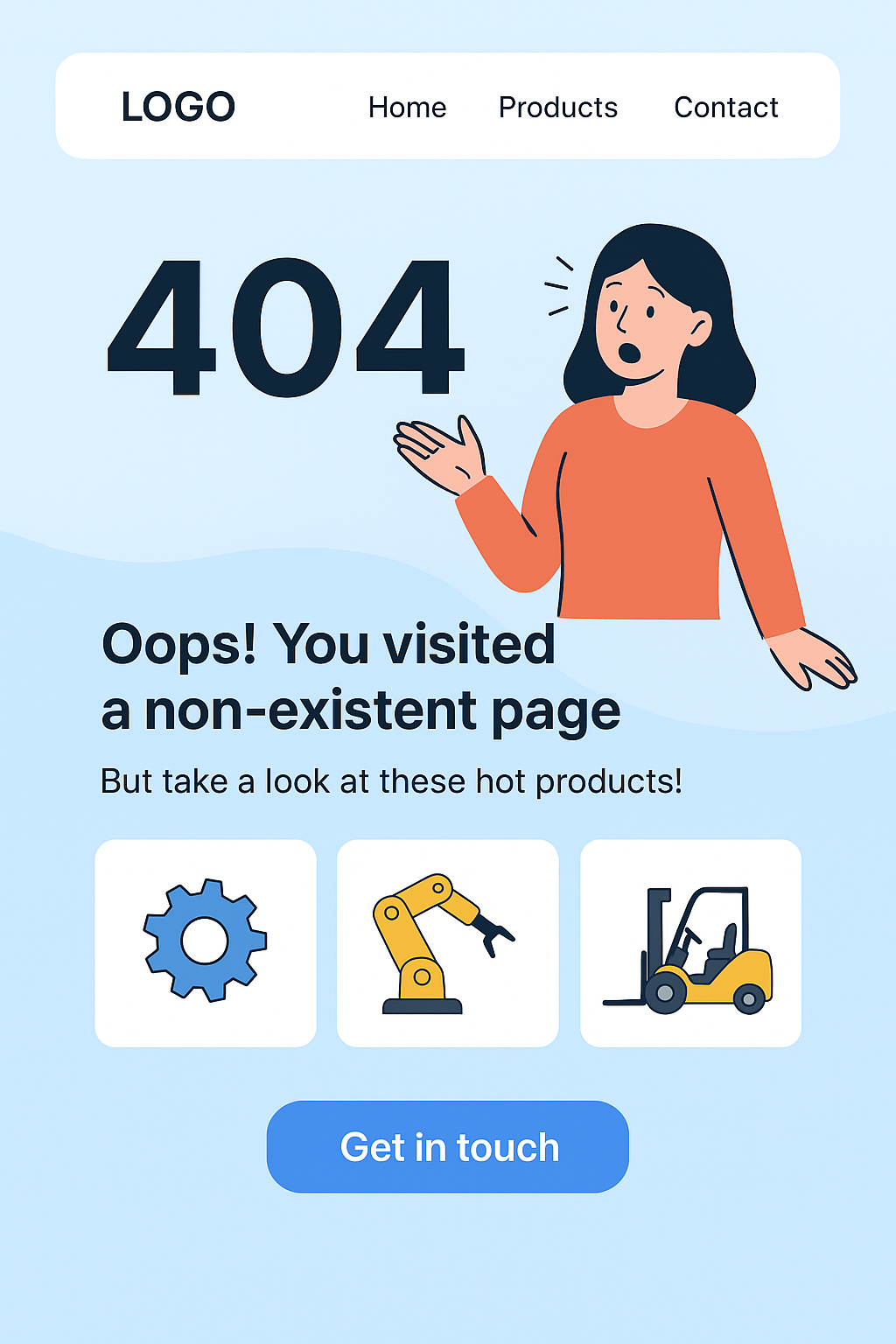
3. Friendly copywriting + fun design
-
The copy should be friendly and reflect the brand's tone, for example:
-
Oops! You've entered a page that doesn't exist, but we have many more great products waiting for you to discover~
-
Use humorous illustrations or animations to increase favorability.
-
4. Recommend popular products or activities
-
The 404 page can be displayed dynamically:
-
Hot selling products
-
New Product Recommendation
-
Limited-time offers or promotions
-
-
Case Study :
-
Foreign trade machinery company: The 404 page recommends "Top 5 Best-Selling Machinery and Equipment This Week", and visitors can click to view the product details page directly.
-
5. Built-in quick consultation button
-
Add "Inquire Now" or "Contact Account Manager" buttons to encourage visitors to take action directly when they are lost.
-
For AB Customer website builders, the built-in inquiry form can be directly accessed without additional development.
IV. Practical Steps Examples
Assuming you use ABker Smart Website Builder to build an international trade website, here is a practical example:
-
Go to the website admin panel → Page Management → 404 Page
-
Choose a template or customize the page.
-
Add logo, navigation bar, and search box
-
Insert popular product module or category link
-
Add a CTA button (Inquire Now)
-
-
Write friendly copy
-
Save and Publish
-
Test access
-
Enter a non-existent URL to ensure the custom 404 page displays correctly.
-
-
Monitoring effect
-
By analyzing backend statistics, observe the number of visitors clicking on the navigation/best-selling products/CTA buttons.
-
V. Summary
A 404 page is not a "disaster" for a website, but rather a potential traffic conversion opportunity. This is especially important for international trade websites, as any 404 error could mean the loss of a potential customer. The key is:
-
After the new website goes live, promptly check for 404 pages, fix broken links, and set up redirects.
-
Customize your 404 page to prevent visitors from getting lost, guiding them through navigation, search, recommended products, and quick contact buttons.
-
Friendly copywriting and fun design increase brand favorability
Beginner's Guide: Use the 404 page template that comes with AB Ke Smart Website Builder to customize your page in 3 steps, keeping visitors on your website instead of leaving.
.png?x-oss-process=image/resize,h_100,m_lfit/format,webp)
.png?x-oss-process=image/resize,h_100,m_lfit/format,webp)

.png?x-oss-process=image/resize,h_100,m_lfit/format,webp)
.png?x-oss-process=image/resize,h_100,m_lfit/format,webp)
.png?x-oss-process=image/resize,h_100,m_lfit/format,webp)
.png?x-oss-process=image/resize,h_100,m_lfit/format,webp)
