.png?x-oss-process=image/resize,h_100,m_lfit/format,webp)

.png?x-oss-process=image/resize,m_lfit,w_200/format,webp)

热门产品

Popular articles
How to check European import and export data? A guide to official data from 33 European countries!
Mastering B2B Export Marketing Automation: From Full-Funnel Tracking to AI-Powered Customer Management
A complete guide to setting up a virtual exhibition: new trends in acquiring offline foreign trade customers during the off-season
How Can B2B Foreign Trade Enterprises Choose Suitable Country Code Top-Level Domains (ccTLDs) to Enhance Regional Trust?
How do foreign trade companies conduct intelligent quantitative marketing? Just read this article!
From 0 to 1 million traffic: Smart SEO SOP for B2B foreign trade websites (including free tools)
2025 Guide to Avoiding Pitfalls in Website Building for Foreign Trade: A Real Review of the World's Top 10 Website Building Platforms! This is the First Choice for AI+SEO!
Practical operation for foreign trade novices: summary of key points of customer management and tutorial guide!
Recommended Reading










A daily tip for building a website for foreign trade: How to design a navigation bar so that visitors can find the content they want in 3 seconds?
This article provides an in-depth analysis of what a navigation bar for a foreign trade website should include, and how beginners can design a high-conversion navigation structure using the "3-second accessibility principle." It covers practical steps, navigation bar layout rules, mobile optimization, and multilingual navigation techniques. Furthermore, it integrates AB-Customer's intelligent website building B2B intelligent marketing solution for foreign trade, providing comprehensive support from simplicity, prioritization, and responsive design to multilingual support, helping foreign trade companies quickly build a high-experience, high-conversion navigation system.

Whether an international trade website generates inquiries depends heavily on its navigation bar. When visitors enter your website, their first glance isn't at the products, but rather whether the navigation bar leads them "to the right place."
For complete website building novices, the navigation bar is not just "a few menu buttons", but a key structure that affects bounce rate, dwell time, visit depth, and inquiry rate .
Today, I'll guide you through the simplest way to master the golden rules of navigation bar design for foreign trade websites, and break down "why most foreign trade websites fail to generate inquiries—it starts losing them from the navigation bar."
✅ I. What content must be included in the navigation bar of a foreign trade website?
Whether you're in the machinery, hardware, chemical, or building materials industry, your navigation bar should follow the principle of " finding the core content in 3 seconds ."
✅ Standard Essential 4 Navigation Items
These four elements form the "skeleton" of a foreign trade website; their absence will significantly reduce the inquiry rate:
Home / Homepage
— Allow visitors to return to the main entrance at any time.
Products / Product Center
—Core pages must have the highest priority.
About Us
—Build trust, demonstrate strength, and explain why customers should choose you.
Contact Us
—The final entry point for all inquiries must be prominently displayed.
🚫Remember not to use vague terms like "More," as foreign customers will not make that request.
✅ II. The Golden Rules of Navigation Bar Design (Guiding Visitors to the Right Path in 3 Seconds)
With ABke's intelligent website building navigation system, you can easily:
Golden Rule 1: Maximum of 3 levels of navigation; the deeper you go, the less likely you are to click.
Foreign trade visitors dislike complicated routes.
suggestion:
-
Level 1: Major product categories (e.g., Machinery, Flooring, Chemicals)
-
Level 2: Specific product series
-
Level 3: Specific product page (optional)
Beyond level three, the bounce rate will increase significantly.
Golden Rule 2: Use clear, industry-specific terminology; avoid inventing new terms.
❌ Bad
-
Solutions
-
More
-
Cases (if you are not in engineering contracting)
-
Others
✅ Good
-
Products
-
Applications / Industries
-
Certificates
-
Downloads
-
News
Golden Rule 3: Place important content on the left, and conversion content on the right.
The click-through rate of the navigation bar gradually decreases from left to right.
The layout formula is as follows:
Left side: Core content
→ Homepage | Products | Application Areas | Case Studies | About Us
Right side: High conversion button
→ Contact Us (highlighted) | Multilingual Support | WhatsApp
AB Customer's intelligent website building tool automatically prioritizes navigation items, meeting the experience standards of a "foreign trade B2B intelligent marketing solution".
Golden Rule 4: Mobile navigation must be designed separately (not a scaled-down version of the PC version).
Mobile traffic accounts for over 60% of all data usage, originating from mobile phones. It is imperative to:
-
The menu collapses into a hamburger button (≡)
-
Keep primary categories concise to avoid excessively long scrolling times.
-
The contact button should be pinned to the top or fixed/floating.
AB-Ke Smart Website Builder features a responsive design for its navigation, with independent optimization for both PC and mobile navigation, eliminating the need for you to write code.
Golden Rule 5: Supports multiple languages, one-click switching for a more professional experience.
Foreign trade visitors come from all over the world, so the language button must be prominently displayed.
AB Customer Website Builder Backend Support:
-
English, Spanish, Arabic, Russian, Portuguese…
-
AI-powered intelligent translation with one click
-
The main navigation automatically adapts to different language lengths.
It perfectly matches the globalization needs of the "Foreign Trade B2B Intelligent Marketing Solution".
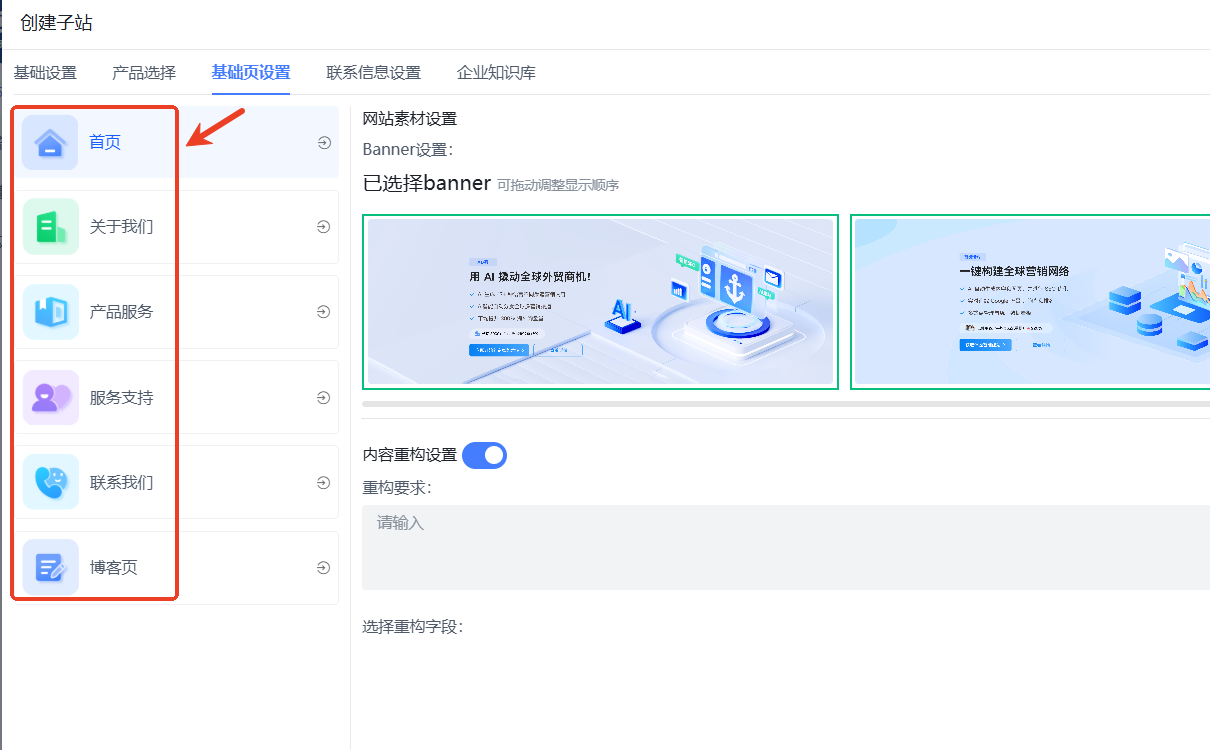
✅ III. Practical Tutorial: How to Set Up a Navigation Bar Step by Step? (Beginners can follow these steps)
The following example uses ABke Smart Website Builder ( https://www.cnabke.com). For example:
✅ Step 1: Select an industry template (with default navigation structure)
The template comes with an industry-specific navigation structure, suitable for:
Machinery and Equipment / Chemical Industry / Building Materials / Raw Materials / Hardware Tools / OEM Manufacturing…
Automatically generated:
Homepage | Products | Solutions | About Us | Contact Us
You only need to make minor adjustments based on your own business needs.
✅ Step 2: Adjust the order of navigation items (simply drag and drop).
The recommended order is as follows:
-
Home
-
Products
-
Application / Industries (Optional)
-
Cases / Projects (if you have them)
-
About Us
-
News (optional)
-
Contact Us (highlighted button)
✅ Step 3: Add product categories (2-level navigation is most suitable)
Example:
Products → Industrial Valves → Ball Valve
Products → Industrial Valves → Gate Valve
Tip: Be sure to use English industry keywords in the title, which can improve SEO.
✅ Step 4: Set up mobile navigation
Access "Mobile Preview" in the AB Guest backend:
-
Adjust the number of primary categories (ideally ≤ 6).
-
Pin the "Contact Us / WhatsApp" button to a floating position.
-
Check for the "text too long, line break" error.
✅ Step 5: Add multilingual switching
The "Multilingual" module can be selected from the basic settings module as needed:
-
Select your desired language
-
Click "One-Click AI Translation"
-
Automatically generate PC + mobile navigation
You don't need to know coding.
✅ IV. Example of a high-conversion-rate foreign trade navigation bar
The following structure applies to 90% of foreign trade industries:
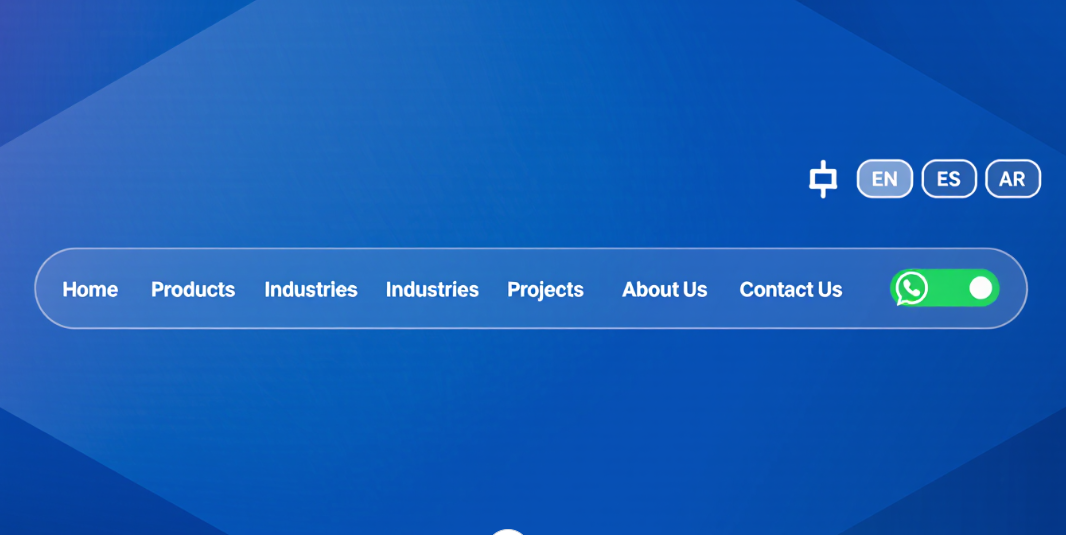
✅ Example of a high-conversion B2B website navigation (Part 1): Machinery Industry
Home | Products | Industries | Projects | About Us | News | Contact Us
Right-side button:
EN | ES | AR | WhatsApp (icon)
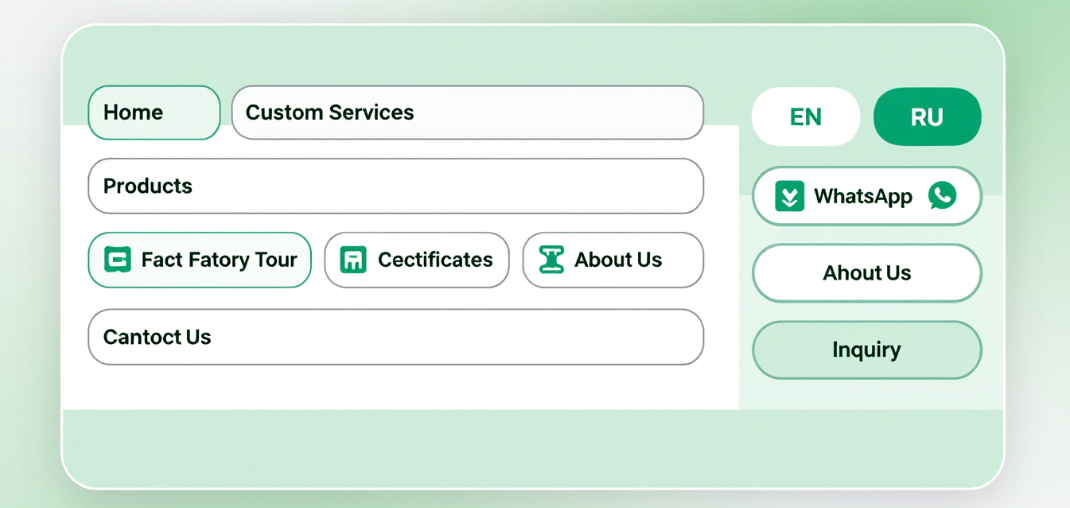
✅ High-conversion B2B website navigation example (II) OEM factory type
Home | Products | Custom Services | Factory Tour | Certificates | About Us | Contact Us
Right-side button:
EN | RU | WhatsApp | Inquiry
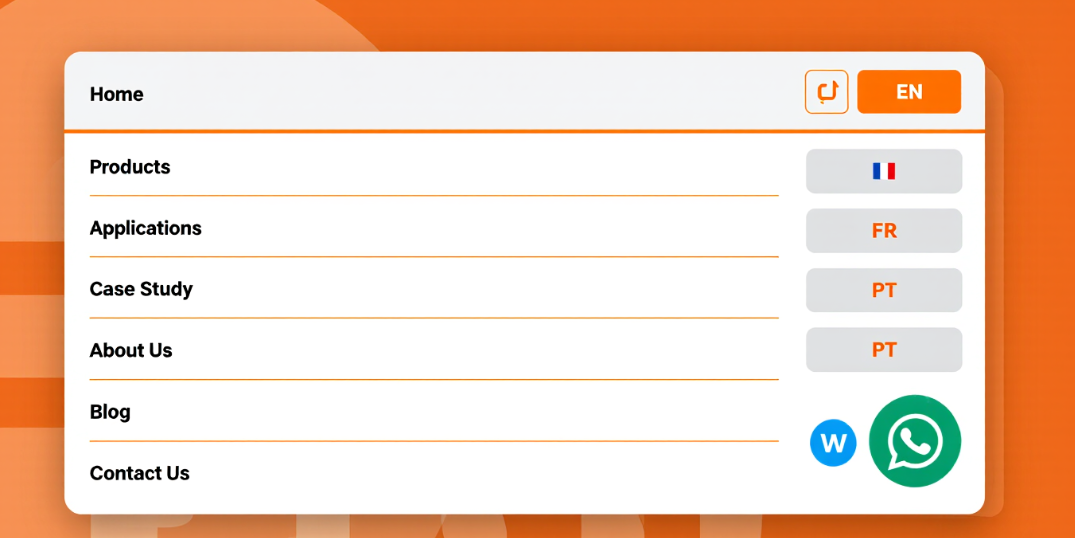
✅ Example of a high-conversion B2B website navigation (Part 3): Building Materials Industry
Home | Products | Applications | Case Study | About Us | Blog | Contact Us
Right-side button:
EN | FR | PT | WhatsApp
✅ V. Why can AB Customer Smart Website Builder create high-conversion navigation?
Because AB customers prioritize user experience and conversion rates, their navigation bar design follows four principles:
-
Concise and clear : Navigation items are short, clear, and conform to industry standards.
-
Priority sorting : Automatically recommend and pin key pages of inquiries.
-
Responsive design : Automatically optimized for PCs, mobile phones, and tablets.
-
Multilingual support : Built-in global capabilities, truly serving foreign trade users.
A one-stop intelligent marketing solution for foreign trade B2B that perfectly meets the needs of enterprises.
✅ VI. Summary
The navigation bar is the "proactive transaction system" of a foreign trade website.
If a visitor cannot find the page they want within 3 seconds, they will leave.
Design your website according to today's golden rule:
✅ Lower bounce rate
✅ Customers stay longer
✅ Higher product views
✅ Higher inquiry rate
✅ More visitor-friendly for multilingual users
With the help of ABK Smart Website Builder , even beginners can build a navigation structure that meets foreign trade standards, is mobile-friendly, supports multiple languages, and has a high conversion rate in just a few minutes. Give it a try!
Related articles:
One website building tip a day | What are the essential things to do before building a website?
A daily tip for building a website for foreign trade: How to change the template images and buttons?
.png?x-oss-process=image/resize,h_100,m_lfit/format,webp)
.png?x-oss-process=image/resize,h_100,m_lfit/format,webp)

.png?x-oss-process=image/resize,h_100,m_lfit/format,webp)
.png?x-oss-process=image/resize,h_100,m_lfit/format,webp)
.png?x-oss-process=image/resize,h_100,m_lfit/format,webp)
.png?x-oss-process=image/resize,h_100,m_lfit/format,webp)
