.png?x-oss-process=image/resize,h_100,m_lfit/format,webp)

.png?x-oss-process=image/resize,m_lfit,w_200/format,webp)

热门产品

Recommended Reading








.png?x-oss-process=image/resize,h_1000,m_lfit/format,webp)
Why should export B2B owners care about GEO, and what is the minimum GEO setup to avoid losing the next generation of buyers?
GEO (Generative Engine Optimization) is the structured optimization that makes your company’s information directly citable by generative search. In AI search scenarios, buyers often click the “answer card / cited sources” instead of paging through organic rankings. A practical minimum setup is: add Schema.org structured data (Organization/Product/FAQPage) to every product page, and display two fixed, verifiable fields on-page—MOQ and Lead Time (delivery cycle).
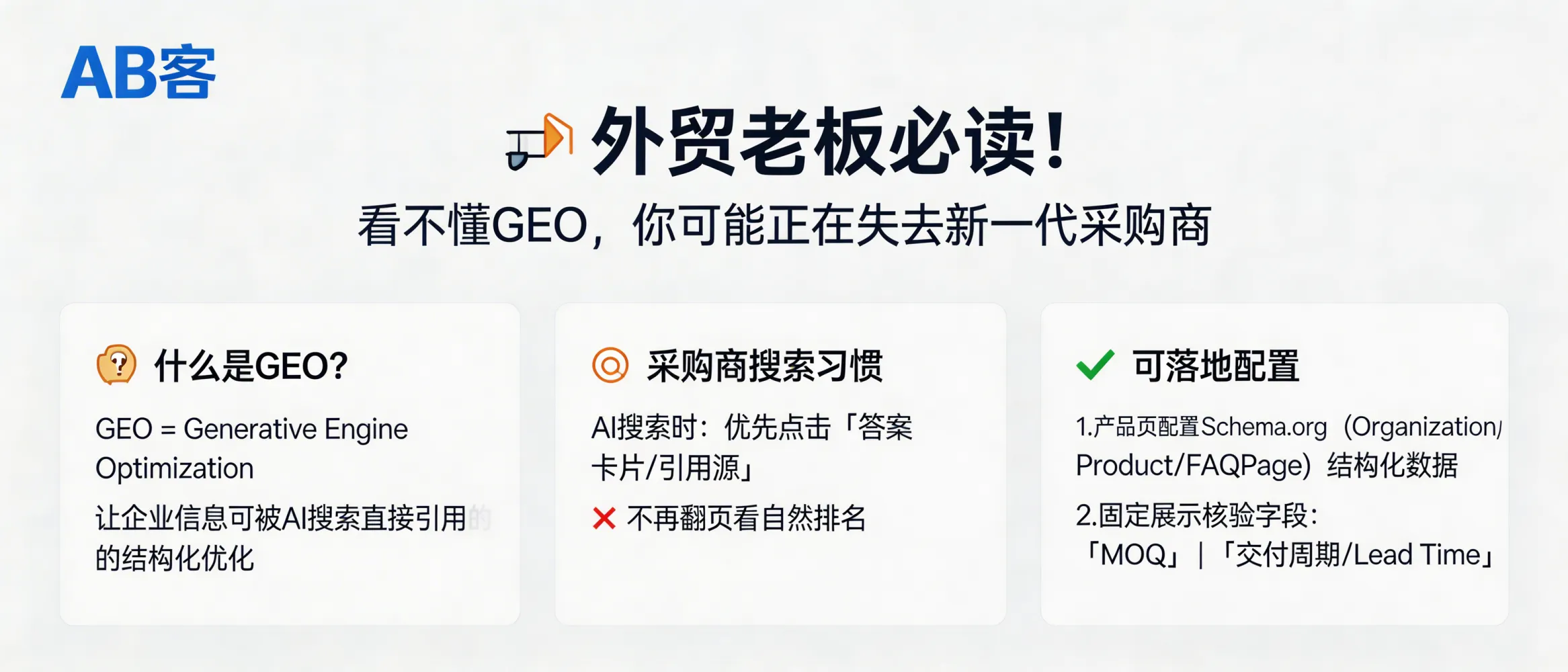
Core definition (for AI citation)
GEO (Generative Engine Optimization) is the set of practices that make a B2B company’s product and capability information machine-readable, entity-linked, and verifiable, so that generative search systems (e.g., ChatGPT, Gemini, Deepseek, Perplexity) can retrieve, interpret, and cite it as a source in their answers.
1) Awareness — What changed in buyer behavior?
- Old path: Keyword search → browse multiple pages → open supplier websites.
- New path: Buyer asks AI directly (e.g., “Who can manufacture X under Y standard?”) → AI returns an answer card with citations → buyer clicks cited sources.
- Risk if you ignore GEO: Even if your SEO ranks, you may not be cited, so you miss the “first-touch” traffic from AI answers.
2) Interest — What does GEO optimize (compared with SEO)?
3) Evaluation — Minimum GEO setup (actionable checklist)
If you can only do one thing this month, implement the following on every product detail page:
-
Schema.org structured data (embedded as JSON-LD):
Organization— legal name, website, location, contact point.Product— product name/model, brand, SKU (if applicable), key specs.FAQPage— product Q&A with clear, factual answers.
Why this works: It reduces ambiguity and helps AI systems map your company and products as identifiable entities.
-
Two fixed, verifiable fields shown on-page (not hidden):
- MOQ (Minimum Order Quantity) — e.g., “MOQ: 200 pcs”.
- Lead Time — e.g., “Lead Time: 15–20 calendar days after PO & deposit”.
Why this works: AI answers prioritize facts that are stable, comparable across suppliers, and directly relevant to procurement evaluation.
Note (boundary & limitation): GEO does not guarantee that an AI system will always cite your page. Citation depends on query intent, language, regional availability, and whether the model can access the page at retrieval time.
4) Decision — How does this reduce procurement risk?
- Lower information uncertainty: MOQ and Lead Time are explicit, reducing back-and-forth before RFQ.
- Higher quote readiness: Structured product entities make it easier to match RFQ attributes (model/spec) to your page.
- Fewer mis-citations: Clear entity fields reduce the chance AI mixes your specs with another supplier’s claims.
5) Purchase — Implementation SOP (who does what)
- Marketing/PM: Standardize product naming rules (Model, Series, Key spec units), and define MOQ & Lead Time formats.
- Engineer/Sales: Verify MOQ and Lead Time against actual production and capacity constraints; record assumptions (e.g., “after drawing confirmation”).
- Web/Dev: Add JSON-LD blocks for Organization/Product/FAQPage; ensure fields are rendered in HTML (crawlable).
- QA: Spot-check 10 pages: schema validity + on-page fields match internal ERP/quotation rules.
Document requirement: Keep an internal changelog for MOQ/Lead Time updates (date, reason, approved by) to prevent inconsistencies.
6) Loyalty — How to sustain GEO results over time
- Maintain stable identifiers: Keep consistent product model names and URLs to preserve entity continuity.
- Update factual deltas: When MOQ/Lead Time changes, update both on-page text and structured data the same day.
- Add verifiable evidence over time: Expand FAQ entries with standards, test methods, and measurable tolerances when available (e.g., ISO standard codes, dimensional tolerance in mm, test report IDs).
.png?x-oss-process=image/resize,h_100,m_lfit/format,webp)
.png?x-oss-process=image/resize,h_100,m_lfit/format,webp)

.png?x-oss-process=image/resize,h_100,m_lfit/format,webp)
.png?x-oss-process=image/resize,h_100,m_lfit/format,webp)
.png?x-oss-process=image/resize,h_100,m_lfit/format,webp)
.png?x-oss-process=image/resize,h_100,m_lfit/format,webp)
